Prayk Reels: a ready-made vertical video from your listing photos — feed, sharing and views
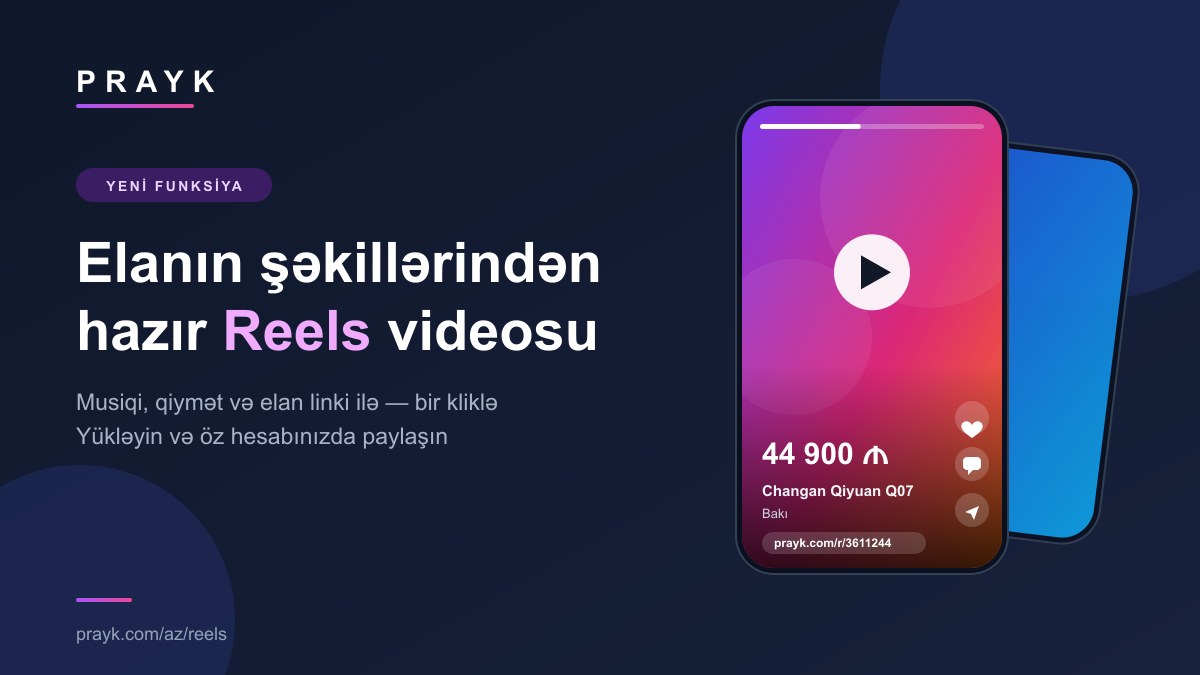
Buyers now watch videos more than they read listings. The new Reels section on Prayk turns a listing's photos into a ready-made vertical video with music, the price and a link to the listing. There is nothing to film or edit — your photos are enough.
What Reels is
A Reel is a short vertical video built from a listing's photos: it fills the phone screen (9:16) and runs for 13–20 seconds. The photos glide from one to the next, music plays, and the title, price and city are shown on screen. A video uses up to 8 of the listing's photos. In the first 24 hours more than 800 videos appeared in the feed.
The Reels feed: swipe and watch
The Reels page works the familiar way: swipe a video up and the next one starts. Next to every video you will find:
- "View listing" — one tap opens the listing page with all photos, the description and contact details.
- Favourites — save the listing with the heart button.
- Comments — a comment is written to the listing itself and also shows on the listing page.
- Share — send a link to the video.
- Sound — one tap turns it on or off.
Where else the videos appear
- On the home page — a Reels strip with round covers at the top; tapping a cover opens the feed at that video.
- On the listing page — a listing that has a video gets a "Watch video" button.
- On Telegram — finished videos are posted to the Prayk Telegram channel (@praykcom). More about Telegram — in a separate article.
How to make a video from your own listing
- Open your listings in the cabinet.
- Press the "Reels" button next to a listing — the "Make a Reel from my listing" window opens.
- Press "Create video". The video joins a queue and is usually ready in a few minutes. You can close the window — the finished video will appear in it.
- When the video is ready, save it to your phone with "Download" or send it straight away with "Share". The "Ready-made caption" block has text for your post (title, price, city and link) — take it with "Copy".
The conditions are simple: the listing must be published, must be yours and must have at least 3 photos. If there are too few photos, add some to the listing and try again. The video of one listing can be remade at most 3 times in 24 hours.
What is in the video and what is not
- In it: your photos, the listing title, the price, the city, the Prayk logo and a short link to the listing (prayk.com/r/ and the listing number).
- Not in it: your phone number. It is never shown in the video — a buyer follows the link to the listing and contacts you from there.
The video you download is yours: post it on Instagram Reels, TikTok, YouTube Shorts, a WhatsApp status or anywhere else from your own account. Prayk posts nothing on your behalf. The consent box in the window is a separate thing: if you tick it, Prayk may also post the video on its own social media accounts. It is optional and can be withdrawn at any time.
New listings get a video automatically
For new listings that you posted on the site yourself and that have at least 3 photos, a video is made automatically, in queue order. When it is ready you get a notification — all that is left is to open the cabinet and download it. You do not need to do anything for this; for a good result, choose clear, well-lit photos when posting a listing.
How views are counted
If someone watches your video for at least 3 seconds, it counts as a view of your listing. The same person is counted once per half hour. The video also has its own counter: the window in the cabinet shows "N views in Reels". So Reels adds views to your listing instead of living in a separate statistic.
How the feed is ordered
Videos of listings with an active paid promotion come first: Premium, then VIP, then TOP (plans). The rest are arranged for the viewer: which sections they are interested in, which city and price range they look at, and how fresh the video is. Videos you have already watched move to the end, so the feed shows something new each time.
Frequently asked questions
- Is it paid? No, making a video is free.
- I changed the photos but the video is still the old one. Press "Make again" in the window — the old video is replaced by a new one.
- I deleted the listing. Its video is deleted with it and leaves the feed.
- The video was not made. A retry button appears in the window; if the problem repeats, write to us.
- Can I choose the music? Not yet — the music is picked automatically.
What to keep in mind
For now Reels works on the website — on a computer and in a phone browser. The video is built from the listing's photos, so its quality depends on them: a dark or blurry photo will look the same in the video. Tips on photos and descriptions are in our guide to writing a good listing.
To start watching — the Reels feed. To make your own video — your listings in the cabinet.