Choosing a laptop for gaming or work: specs and prices on Prayk
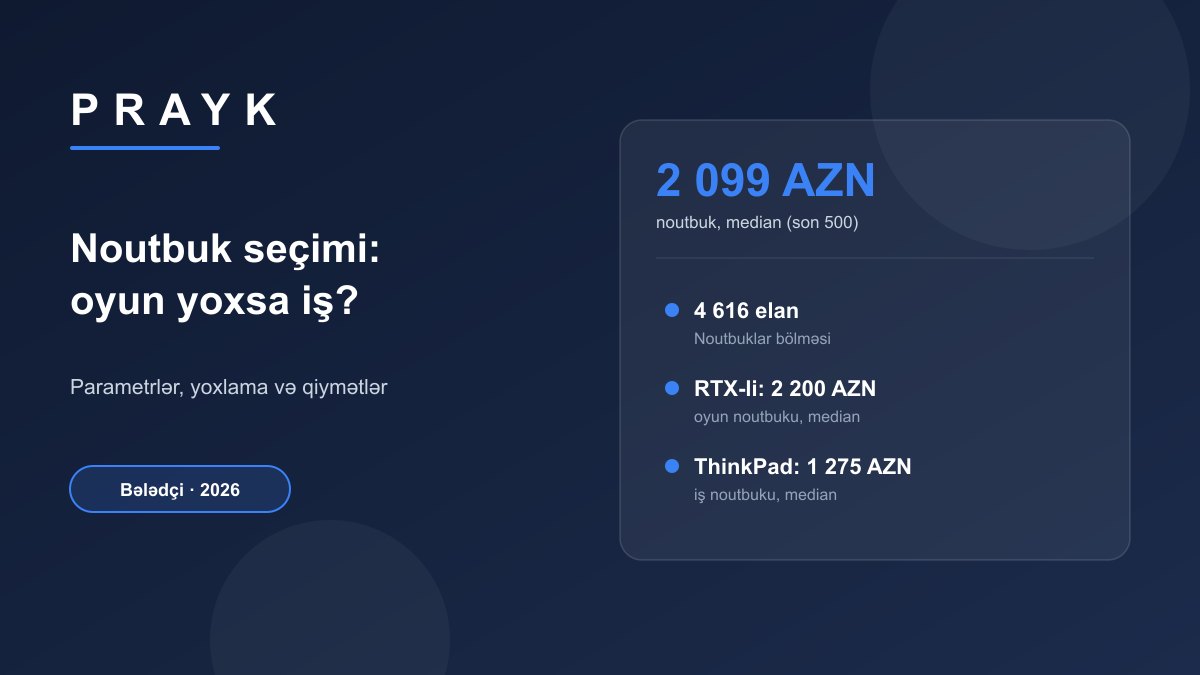
In a gaming laptop the key component is the discrete graphics card; in a work laptop a modern processor, 16 GB of RAM, a fast SSD, a good screen and long battery life matter more. As of 22 September 2026 the Laptops section on Prayk has 4,616 listings, and the median of the latest 500 is 2,099 AZN. Laptops with an RTX graphics card in the title have a median of 2,200 AZN, the ThinkPad business series 1,275 AZN and the budget IdeaPad series 810 AZN.
Short answer: for work and study, a recent Core i5 / Ryzen 5 or an Apple M chip, 16 GB RAM, a 512 GB SSD and a Full HD IPS screen are enough. For gaming you need an RTX 4060 / RTX 5060-class graphics card, 16–32 GB RAM, a 144 Hz screen and good cooling. Prayk (22.09.2026) has 4,616 laptop listings with a median of 2,099 AZN. Middle half of listings: 1,587–2,925 AZN for RTX models, 1,347–3,399 AZN for MacBooks and 650–2,835 AZN for ThinkPads.
Gaming vs work laptop: what is the main difference?
A work laptop spends the day in a bag, runs on battery and is mostly used for the browser, office software and video calls. What matters is low weight, quiet operation, battery life and a screen that is easy on the eyes. A gaming laptop is essentially a portable desktop: it usually runs plugged in, is heavy and loud because of the powerful graphics card and cooling system, and its battery does not last long in games. Combining both needs in one device is expensive, so first decide what the laptop will spend most of its time doing.
| Parameter | Work and study | Gaming | Editing and design |
|---|---|---|---|
| Processor (CPU) | recent Core i5 / Ryzen 5, Core Ultra 5, Apple M | Core i7 / Ryzen 7, H or HX series | Core i7–i9 / Ryzen 7–9, Apple M Pro/Max |
| Graphics (GPU) | integrated graphics are enough | discrete RTX 4060 / 5060 or higher, 8 GB+ video memory | discrete RTX or Apple M Pro/Max |
| Memory (RAM) | 16 GB | 16 GB minimum, 32 GB comfortable | 32 GB |
| SSD | 512 GB NVMe | 1 TB NVMe (games take a lot of space) | 1 TB plus an external drive |
| Screen | 14–15.6″, Full HD, IPS or OLED | 15.6–16″, 144 Hz or higher | high colour accuracy, 2.5K or higher |
| Weight and battery | light chassis, long battery life | heavy chassis, battery is secondary | medium weight, powerful adapter |
| Cooling | quiet, simple | two fans, wide air channels | stable under long loads |
Laptop prices on Prayk by segment
| Segment (search within the section) | Listings | Median price | Middle half of listings |
|---|---|---|---|
| All laptops | 4,616 | 2,099 AZN | 1,394–3,039 AZN |
| "RTX" in the title (NVIDIA discrete graphics) | 192 | 2,200 AZN | 1,587–2,925 AZN |
| "Gaming" search | 436 | 1,740 AZN | 950–2,662 AZN |
| Apple MacBook | 702 | 2,300 AZN | 1,347–3,399 AZN |
| Lenovo ThinkPad (business series) | 216 | 1,275 AZN | 650–2,835 AZN |
| Lenovo IdeaPad (budget series) | 200 | 810 AZN | 500–1,376 AZN |
Keep three things in mind when reading the table. First, the section contains many shop listings for new laptops with a product code in the title, so the overall median is close to new-device prices. Second, the "Gaming" search also returns ordinary laptops that are not from a gaming series, so its lower bound is below that of real gaming models; listings with RTX in the title are a more accurate guide. Third, the ThinkPad range is very wide: it includes used models several years old as well as new business laptops from shops — a quarter of listings are below 650 AZN.
Processor: the generation matters more than the name
Listings often just say "Core i5" or "i7" without the generation. Yet a Core i7 from several generations ago can be slower than today's Core i5. With Intel the generation sits at the start of the model number: i5-8250U is 8th generation, i5-1235U 12th and i5-13420H 13th. In the newer Core Ultra names the series is read from the number: Core Ultra 5 125H is Series 1 and Core Ultra 7 255H Series 2. With AMD the first digit shows the series: Ryzen 5 5600H belongs to the 5000 series and Ryzen 7 7735HS to the 7000 series. The suffix matters too: U means an energy-efficient, cool-running chip (for work), while H, HS and HX are high-performance versions (for gaming and editing). If the listing does not state the generation, ask the seller for the full model name or check it in Windows under Task Manager → Performance.
Graphics card: "RTX" on the label is not the whole story
Gaming requires a discrete graphics card (a separate graphics processor); integrated graphics only handle light and older games. For modern games an RTX 4060 or RTX 5060 class card with at least 8 GB of video memory (VRAM) makes sense; the RTX 3050 and RTX 4050 are budget options that need lower graphics settings in new games. A graphics card with the same name can perform differently from laptop to laptop because the manufacturer sets its own power limit (TGP, measured in watts). That is why, of two laptops with an "RTX 4060", the thicker, better-cooled one is usually faster. Check the TGP on the model's specification page or under NVIDIA Control Panel → System Information; the laptop GPU line-up is on NVIDIA's official page.
RAM and SSD: can you upgrade later?
In many thin laptops the RAM is soldered to the motherboard and cannot be expanded, while the SSD in most models sits in a standard M.2 slot and can be replaced. If you buy a model with 8 GB of RAM, ask whether there is a free slot. You can find an extra module and a drive in the RAM and Hard drives sections. In MacBooks with Apple chips neither the memory nor the storage can be changed later — choose the configuration up front.
Screen
For work, an IPS or OLED panel at Full HD (1920×1080) or higher is comfortable. Cheap and older models still come with TN panels and 1366×768 screens — washed-out colours and narrow viewing angles are tiring over a working day. For gaming, a refresh rate of 144 Hz or higher makes motion smoother. For photo and design work, look at the colour gamut (the sRGB percentage). If you want a big screen at home, connecting the laptop to a separate monitor is an affordable route.
Checklist for buying a used laptop
- Battery. In Windows, the powercfg /batteryreport command in the command prompt shows the original (Design Capacity) and current (Full Charge Capacity) capacity. In macOS, battery condition is shown under System Settings → Battery and the cycle count under System Information → Power. If the current capacity is below 70–80% of the original, factor a battery replacement into the price.
- Heat and noise. Run a heavy load for 10–15 minutes (a game or a stress test). If the laptop shuts down on its own, the fan makes unusual noises or performance drops sharply, the cooling system needs cleaning.
- Screen, keyboard, ports. Check for dead pixels and backlight bleed on white and black backgrounds, and test every key, the touchpad, the camera, USB, HDMI and the charging port; the hinges should not creak and the chassis should have no cracks.
- Drive. Check the SSD's health with a free diagnostic tool that reads SMART data: it will show the remaining lifespan and the error count.
- Locks. Ex-office business laptops may still carry a BIOS password or corporate remote-management enrolment: if the laptop asks for a corporate sign-in after a reset, you will not be able to use it normally. On a MacBook, "Find My" must be off and the seller must sign out of their Apple ID.
- Serial number. Check the serial number from the underside of the chassis on the manufacturer's website: Apple and Lenovo show the model name and warranty status.
Strategy by budget
- Up to 1,000 AZN. The realistic choice is a used business laptop (a quarter of ThinkPad listings are below 650 AZN) or a budget series (the median IdeaPad listing is 810 AZN). Enough for office work, study and the internet, but not for modern games.
- 1,500–3,000 AZN. The core zone for gaming laptops: half of the listings with RTX in the title fall between 1,587 and 2,925 AZN. Compare the graphics card model and RAM across listings and pick the stronger GPU for the same money.
- MacBook. Half of Apple MacBook listings fall between 1,347 and 3,399 AZN, with a median of 2,300 AZN. Tell Apple-chip models (M1 and later) apart from older Intel ones: the latter are cheaper but stop receiving macOS updates sooner.
- New or used? New means a warranty and full battery capacity; used means a more powerful configuration for the same money. If you buy used, go through the checklist above; brand subsections such as Lenovo help narrow the choice.
On Prayk you can pick several laptops and compare their specs side by side. If the configuration you want is not listed yet, save your search and Prayk will notify you when a matching listing appears (how to set it up). A tip for sellers: of the latest 500 listings in the section, 470 were posted without choosing a brand subsection, so a listing with the brand selected and the CPU, RAM, SSD and graphics card in the title is found faster through filters.
Frequently asked questions
What are the minimum specs for a gaming laptop?
For modern games, a discrete RTX 4060 or RTX 5060 class graphics card with at least 8 GB of video memory, 16 GB of RAM, an H-series processor and a 144 Hz screen make sense. As of 22 September 2026, Prayk has 192 laptop listings with RTX in the title, with a median price of 2,200 AZN.
How much RAM does a work laptop need?
In 2026, with a browser, office software and a video call running at the same time, 16 GB is the comfortable amount. 8 GB is only enough for light work and is acceptable in a model whose memory can be upgraded.
How much does a laptop cost on Prayk?
As of 22 September 2026, the Laptops section on Prayk has 4,616 listings. The median of the latest 500 is 2,099 AZN, with half between 1,394 and 3,039 AZN. The budget IdeaPad series has a median of 810 AZN and the MacBook 2,300 AZN.
Is a used ThinkPad worth buying?
The ThinkPad is a business series with a sturdy chassis and easy repairs, which is why it is common on the second-hand market. Prayk has 216 ThinkPad listings with a median of 1,275 AZN; a quarter of them are below 650 AZN. Before buying, check the battery, the BIOS password and any corporate lock.
MacBook or Windows laptop?
A MacBook offers long battery life and a high-quality screen and chassis, but its memory cannot be upgraded and it is not suited to most games. For gaming, choose a Windows laptop. The median MacBook listing on Prayk is 2,300 AZN, with half between 1,347 and 3,399 AZN (22 September 2026).
Sources and methodology
Figures were taken from Prayk's public catalogue on 22 September 2026. The Laptops section total (4,616) is the exact number of all listings in the section. Segment counts are the results of searches within that section: "RTX", "Gaming", "MacBook", "ThinkPad" and "IdeaPad". The "Gaming" and "IdeaPad" searches also return some listings that do not match the query, so those rows are approximate. The median and the 25th–75th percentile range were calculated from the latest 300 listings of each search (all of them where there were fewer) and from the latest 500 for the section, counting only listings priced in AZN above zero. The catalogue combines shops' new laptops and private sellers' used ones. CPU and GPU naming is based on manufacturers' official information.