Nearby search in practice: what a 500 m radius shows — a Yasamal example
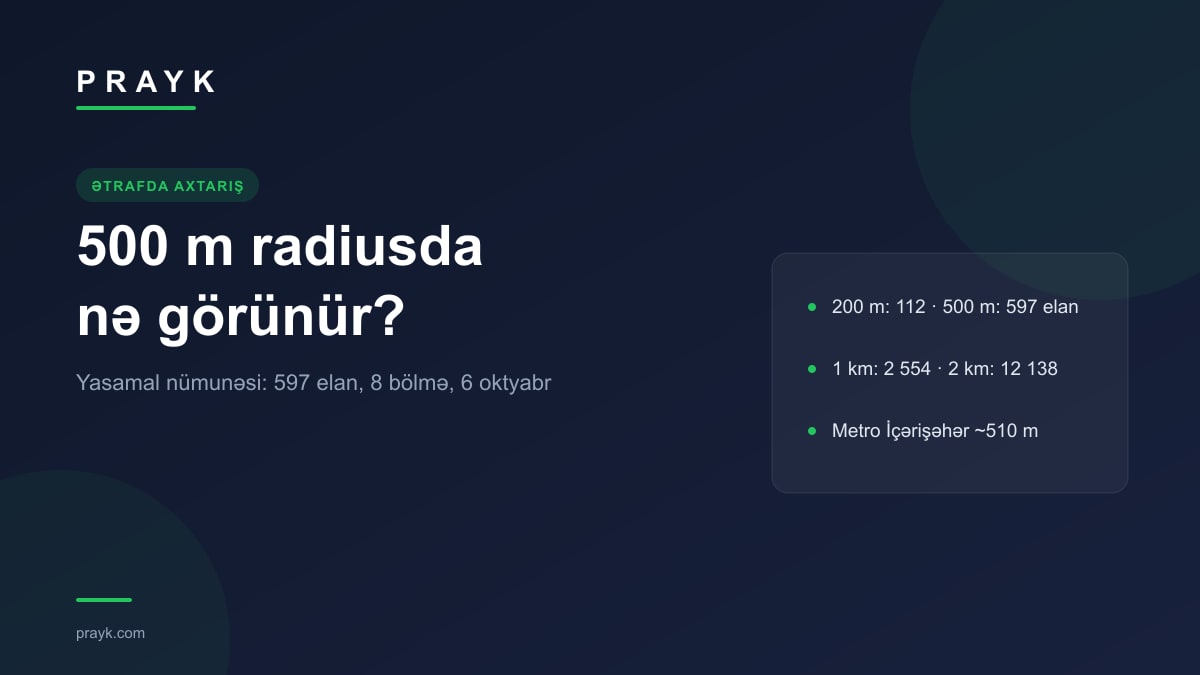
The “Listings nearby” page takes a point you pick on the map and shows the listings around it, sorted by distance. We introduced it in September; this article tests it in practice — at a specific point in Baku's Yasamal district, within a 500 m radius: how many listings appear, what the section buttons do, how the result changes with the radius, and how this search differs from the Location radar.
The sample point: Yasamal, as of 6 October
As the sample we took a point about 510 m from Icherisheher metro — you can open the page at this point. The page itself identifies the place as “Baku, Yasamal”, and the “What's nearby” line under the map groups the places within a 400 m zone: 14 shopping, 4 education, 3 transport, 3 cafe / restaurant, 2 government, 2 park / sports, 1 healthcare; two metro stations — Icherisheher (509 m) and Nizami (1,147 m). We explained separately how the metro distance is calculated.
In “All listings” mode, as measured on 6 October, the 500 m radius holds 597 listings. By section: Real Estate 534, Goods 42, Cars 14, Animals 4, Smartphones 1, Masters 1, Jobs 1, Services 0. In other words, in the city centre a small radius shows almost nothing but flats — and the page does not hide it: press a section button and the counter drops to that section at once, while the first cards are new-build rental flats 6–40 m from the centre.
Changing the radius at the same point: 200 m — 112 listings, 500 m — 597, 1 km — 2,554, 2 km — 12,138. At 5 km the counter is already approximate. In real estate, going from 500 m to 1 km raises the count from 534 to 1,733; in goods from 42 to 733; in smartphones from 1 to 50 — the right step depends on the section.
Three scenarios
- You have moved and are looking for a rental nearby. Press Real Estate — the filter panel opens by itself. “Rent (monthly)” + 2–3 rooms + price up to 1,500 AZN: 101 listings within 500 m, 307 within 1 km. The “Area snapshot” above the list describes the same zone: for real estate within 500 m, 157 new listings in the last 7 days, a median monthly rent of 1,300 AZN (typically 800–2,200), a median sale price of 430,000 AZN and 3,406 AZN/m². For m² prices block by block there is the price layer on the map.
- Things and equipment around the office. Goods gives 42 listings within 500 m and 733 within 1 km — when you need a chair, a printer or a phone, it makes more sense to set the step to 1 km straight away. “Cheapest first” is the most useful sort in this section.
- Masters and services. At this point Services is empty within 500 m and 1 km, and Masters has 1 listing; at 2 km it is 16 + 25, at 5 km 65 + 57. On an empty result the page itself offers a “Widen the radius — 1 km” button; for services it is better to start from the 2 km or 5 km step.
How the page is controlled
The centre moves in three ways: drag the pin or tap the map; type a metro station, a major landmark or an address into the place search in the top bar (suggestions from 2 characters); the “My location” button takes the browser's location. The radius runs from 100 m to 5 km — five quick steps (200 m, 500 m, 1 km, 2 km, 5 km) and a slider in 50 m increments. The section buttons are the catalogue's 8 root sections, and “All listings” combines them. The filters are the same as on the map page: in real estate — deal type, rooms, price, building type, area, title deed, “owner only” and “below market”; in the other sections — price and condition. The “Right now” chips filter by the seller's live status (accepting now, in stock, delivers today, on sale). There are four sorts: nearest first (default), newest first, cheapest first, most expensive first.
The result comes in two views: a list of 48 cards (each showing the distance from the centre; “Show more” continues) and blue dots on the map — tapping a dot opens a preview of the listing. Every change to the pin, radius and filters is written to the URL: you can share the page as it is and open it later in the same state. The “Area snapshot” is calculated only up to 2 km — in a larger zone the figure says little.
Location permission and the difference from the Location radar
Let us be plain about location. When the page is opened from the menu, without coordinates, it asks the browser for location permission; if permission is refused or there is no answer within 8 seconds, it uses the last zone you viewed in this browser, or, failing that, central Baku — and the reason is shown at the top of the page. If your location is outside Azerbaijan, the search also starts from central Baku. The last zone is kept only in this browser's storage. The page is not indexed by search engines.
The difference is simple: “Nearby” shows what exists now; the Location radar tells you about what appears later. The zone and filters you are looking at become a subscription in one click — the “Subscribe to this search” button in the panel. A signed-in account gets 5 subscriptions (site notification, email, browser notification); without signing in, 2 subscriptions, browser notifications only, for 30 days. The subscription link leads back to this very page — same centre, radius and filters; you manage subscriptions in the cabinet.