How to post a listing on Prayk: a complete step-by-step guide
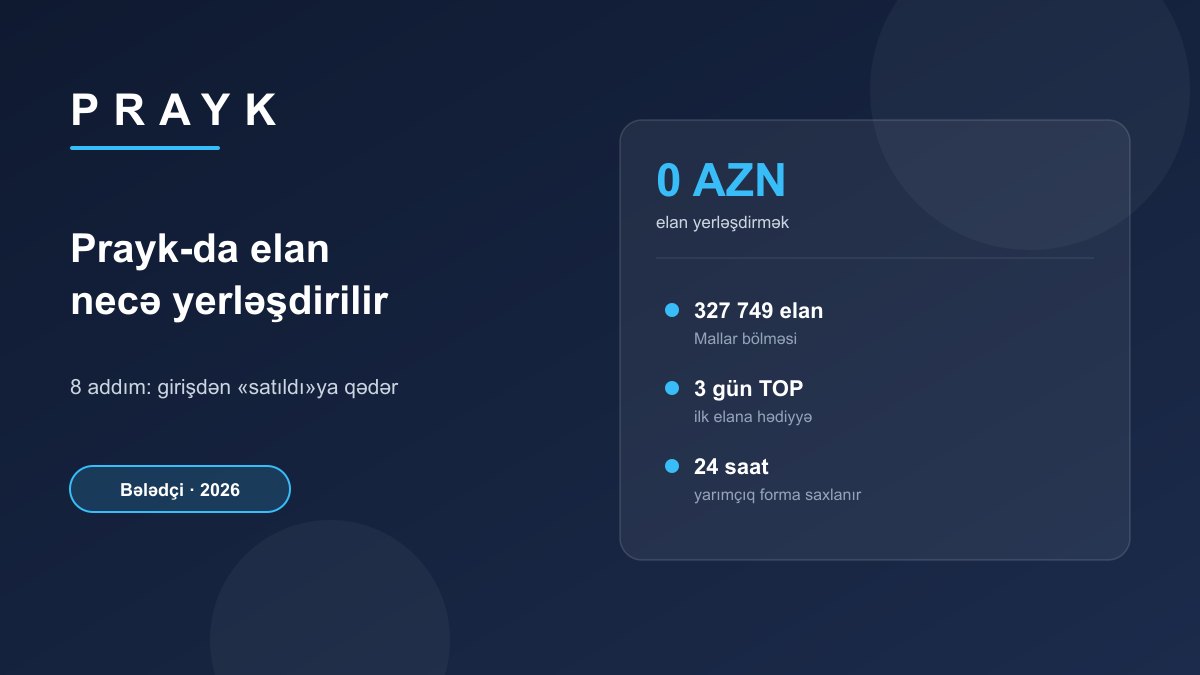
Posting a listing on Prayk is free and takes a few minutes: open the "Post a listing" page, upload photos, fill in the section, price, description, contact details and location, then confirm with a one-time code sent to your email or phone. The listing goes live after moderation. This guide walks through every step, the typical mistakes and what to do once the listing is published.
Short answer: as of 22 September 2026, posting on Prayk is free, private users have no limit on listings per section and no commission is taken on sales. The largest sections: Goods — 327,749, Real estate — 103,344, Cars — 72,395 listings. Paid bumps start at 0.50 AZN.
Before you start: 5 minutes of preparation
- Photos: shoot the item in daylight from several angles — whole item, close-up, label, any defect.
- Details: make and model, year, size or storage; VIN for a car, floor area and floor for property. This is exactly what the form asks for, depending on the section.
- Price: check what similar listings go for (step 5 below).
- Contact: the phone number buyers will call and where the item is (city and, if possible, the exact spot).
How many listings does each section hold, and what do they look like?
Your choice of section decides who sees the listing. The table shows the number of listings in Prayk's main sections and how many photos recent listings carry — beating that norm is a free way to stand out.
| Section | Listings | Median photos in recent listings | Share with 5+ photos |
|---|---|---|---|
| Goods | 327,749 | 1 | 8% |
| Real estate | 103,344 | 10 | 92% |
| Cars | 72,395 | 8 | 73% |
| Smartphones | 18,461 | 3 | 37% |
| Services | 4,600 | 2 | 27% |
| Masters | 3,318 | 3 | 39% |
In Goods, most recent listings have just one photo, so 4–5 good pictures put you ahead straight away. In real estate and cars, buyers are used to plenty of photos — 8–10 is the norm there.
Step by step: how to post a listing
1. Sign in — no password
Prayk has no passwords: enter your email or phone number and the 6-digit one-time code you receive. If you don't have an account, it is created at this step. You can also fill in the form as a guest and confirm at the end, but signing in first is more convenient: photos upload from the first step and the listing is easy to find in your account later.
2. Choose a mode: with AI or by hand
The new listing form has an AI mode: add photos of the item and, if you like, a short note — the AI fills in the title, description and the right section, and you only need to check the price and press "Publish" (how AI writes your listing). If you'd rather fill it in yourself, the form is split into cards: Main, Photos, Features, Price, Description, Contact, Location. In the mobile app you can take the photo with the camera on the spot.
3. Section and "Features"
As soon as you pick a section, its fields open on the first step: land listings don't ask for a room count, services have no "New / Used", cars have VIN and number of owners, building materials have a price unit (m², tonne, piece). Long lists have a search box. Some fields are pre-filled — "Sale" as the deal type in real estate, Azerbaijan as the country of manufacture — so change them if you're renting out or the item is imported. Filled-in fields matter: buyers' filters run on them (what's new in the form).
4. Photos
Post at least 3–4 photos, with the whole item first. Don't use catalogue pictures from the internet — buyers want to see the real thing. Prayk compares the photos and text of new listings with existing ones and recognises copies of other people's listings, so your own photos also mean your listing is the one shown as the original source.
5. Price
For cars and real estate, the market range — lower bound, average price, upper bound — appears under the price field, together with how many days similar listings take to close on average. In other sections, look at similar listings or use the "What's it worth?" calculator on the Market prices page. A price above the market doesn't make a listing invisible, it makes it unsellable.
6. Description
Answer the buyer's first questions up front: how long it's been used, why you're selling, what's included, whether you deliver and what the defect is, if any. A description that is too short costs "Sale chance" points. The title should carry make, model and the key detail: "Samsung fridge, two-compartment, 185 cm" always beats "Urgent sale".
7. Contact and location
Give your phone number and city. Your number is masked on the listing page and only revealed after a "Show number" click, which lowers the risk of spam calls. Listings with coordinates show up on the map and in the "What's nearby" block on the listing page; enable WhatsApp and buyers can message you there straight from the listing.
8. Publishing and moderation
After "Publish" the listing goes to moderation. Every new listing is checked automatically: the title and description are tidied up, the listing is routed to the right section, and those that pass get the "AI checked" badge. A notification tells you the status: published, approved or needs a fix. If the page closes while you're filling it in, the form is kept in your browser for 24 hours — come back and you continue from a message saying your unfinished listing was restored.
Checklist: the typical mistake at each step
| Step | What you do | Typical mistake |
|---|---|---|
| Sign-in | Email or phone + 6-digit code | A typo in the email or number — the code never arrives |
| Section | Check the AI suggestion, fill in "Features" | Leaving the pre-selected "Sale" on a rental |
| Photos | More than 3–4, your own item, daylight | A picture taken from the internet |
| Price | Compare with the market range | Pricier than three quarters of similar listings |
| Description | Condition, what's included, reason for selling, delivery | A one-sentence description |
| Contact and location | Number, city, exact spot if possible | Wrong city — the buyer can't find you |
After publishing: edits, promotion, "sold"
- Diagnosis: in your account, the Listing Doctor next to each listing says what's missing, and the "Sale chance" score (0–100) shows how many points each fix earns. More: 8 rules for a listing that sells fast.
- Edits: lowering the price, adding photos or refreshing the listing lifts it back up — try these before buying packages.
- Free promotion: a new account's first listing gets 3 days of TOP for free; a listing that reaches 500 and 1,000 views is bumped as a gift.
- Paid promotion: a one-off bump 0.50 AZN, auto-bump 4 AZN for 7 days, TOP 2 AZN for 7 days, VIP 5 AZN for 7 days, Premium 9 AZN for 7 days — current prices on the Pricing page. Payment comes from your balance; a package bought for a listing still in moderation activates when it's published, and if the listing is rejected the amount goes back to your balance.
- Sold: stop the listing in your account — Prayk will ask "Was it sold?"; the price you enter is never shown anywhere (how it works).
- Deleting: any listing can be deactivated or deleted on its own from your account — there's no need to delete the account.
Frequently asked questions
Do I need to register to post a listing on Prayk?
Not in advance. On Prayk you can fill in the form as a guest and confirm at the end with a 6-digit code sent to your email or phone; if you have no account, it is created at that step. No password is required.
How many listings can I post on Prayk?
Private users have no limit on the number of listings per section, and posting is free. Store plans have no listing limit either — they differ only in price and the number of included bumps.
When will my listing appear on the site?
After you press "Publish" the listing goes to moderation and is published once it passes the check. Prayk tells you the status with a notification: published or needs a fix. If you buy a package for a listing still in moderation, it activates at the moment of publication.
Can I change a listing after it's published?
Yes. You can change the price, photos and description in your account at any time. Lowering the price or adding photos lifts the listing up the list again.
What should I do with a listing once it's sold?
Stop the listing in your account. Prayk will ask "Was it sold?"; you can choose "Yes, I sold it" and enter the amount. It is not shown on the listing or your profile and is only used to refine market statistics.
Sources and methodology
Listing counts per section are exact totals from Prayk's public API on 22 September 2026; photo metrics were calculated from the most recent listings in each section (300 each for Goods and Smartphones, 100 each for Real estate, Cars, Services and Masters). The form steps, AI mode, moderation, notifications, Listing Doctor, "Sale chance" and "Was it sold?" are described from Prayk news; promotion prices and the rule for packages bought during moderation come from the pricing page. Prices may change.